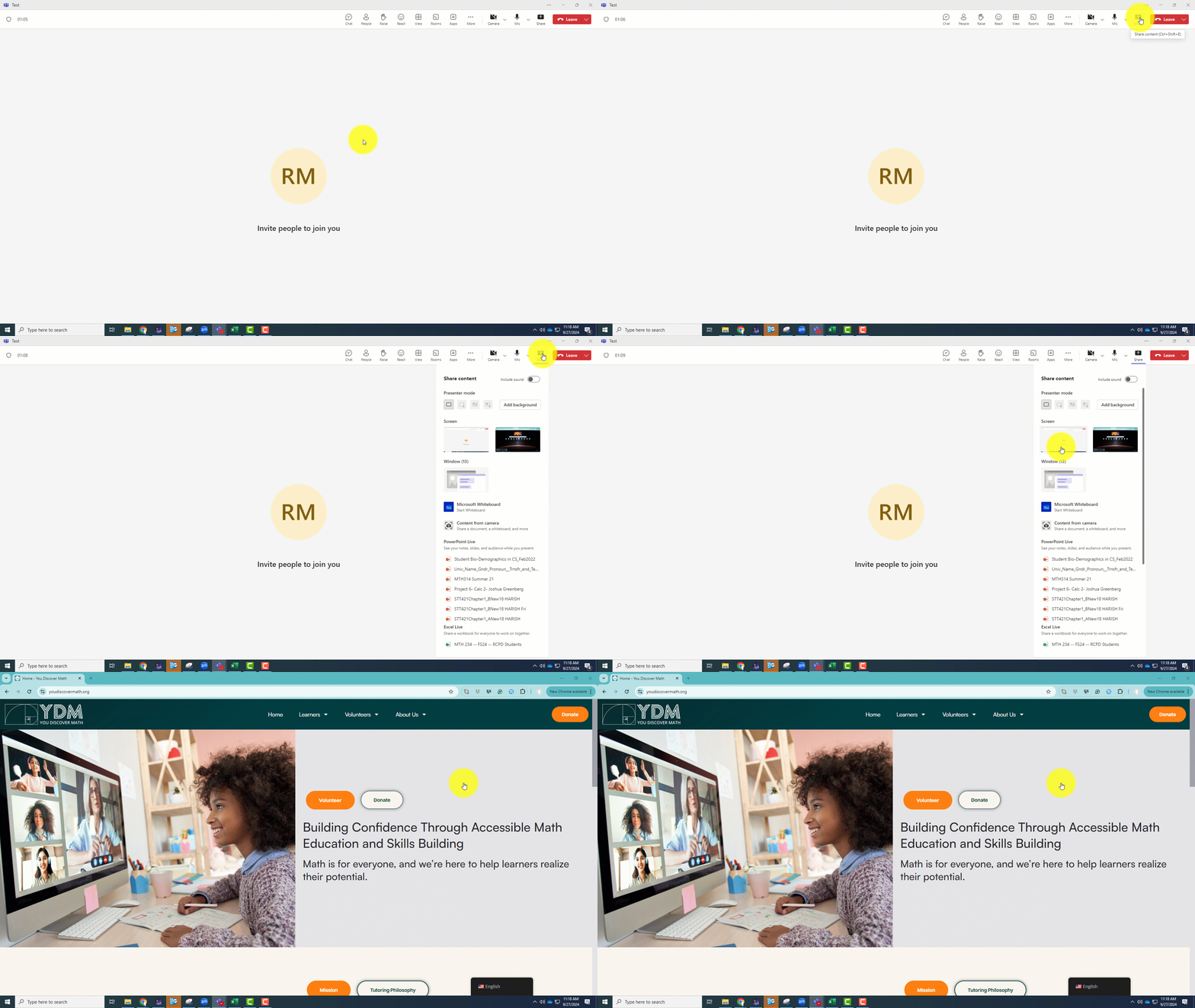
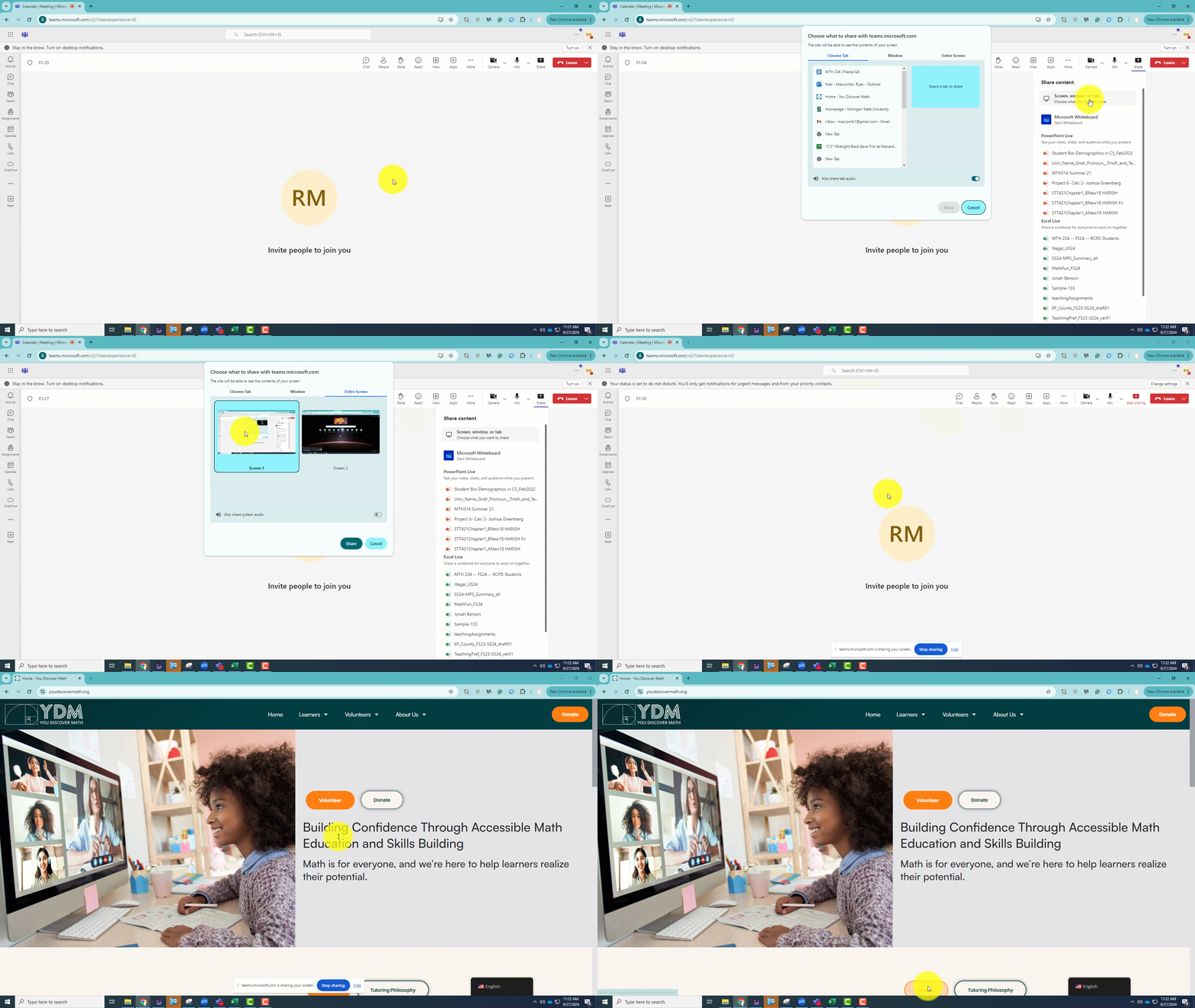
Sharing your screen in Microsoft Teams is a simple way to collaborate with others, whether you’re using the Teams app or a browser. Just click on the Share icon during a meeting to show your desktop, a specific window, or a document. Check out the helpful GIFs below for step-by-step instructions to make the process even easier!


 Spanish
  English